Blog Archive

Nuestros Post

En Soluciones Rubarb Te mantenemos al tanto de las novedades tecnológicas día a día.

A continuación enumeramos algunas de nuestras fuentes:

Softonic

Bitelia

Mi Blackberry

Blackberry Latino

Centro Blackberry

La Blackberry

Techtastico

Con la tecnología de Blogger.
martes, 10 de julio de 2012

The 20 Best iOS And Android Apps Of 2012 (So Far)
cam-apps3a

Editor’s note: Brad Spirrison is the Managing Editor of mobile app discovery services Appolicious, AndroidApps.com (which includes the Appolicious Android App) and AppVee. This is his third year of writing a semi-annual TechCrunch post on top mobile apps.

Halfway into 2012, there are now more than 1.2 million mobile applications available to download to iOS and Android devices. With so many options literally at our fingertips – including dozens of worthy titles introduced to us each day – the task of compiling a mid-year “best of” list of new apps is more challenging (and enjoyable) than ever.

Out of the hundreds (if not thousands) of titles worthy of inclusion, our favorite 20 iOS and Android apps released so far in 2012 can do everything from appraise the value of a home merely by taking its picture, to supplying users with loyalty swag merely for checking-in to their favorite TV shows. We also salute a highly anticipated game sequel that somehow catapulted beyond its otherworldly hype.

A quick primer on our methodology before we get going. All apps picked were either released or significantly updated between January 1 and June 30 of this year. Titles that debuted on iOS or Android in 2012 that were previously available on another platform are eligible for inclusion. All of our selections were sourced, ranked and finalized by Appolicious Advisors and members of our community.  In all, about a dozen members of the Appolicious editorial team offered their favorites. We also surveyed the most active and influential users of Appolicious sites and applications. We did not account for the number of app downloads or overall popularity. Our qualitative assessment is based primarily on the production value, utility and creativity of baked into each cited application.

Let’s get going.

Best iOS apps

Camera Awesome (iPhone, iPod Touch: free)
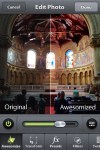
While Instagram’s sale to Facebook dominated the headlines earlier this year, the best new app of 2012 so far is another photo-sharing service that actually helps you take better pictures. Created by 10-year-old photo-sharing site SmugMug, Camera Awesome is a revelation in iPhoneography and yet another reason why many of us can ditch our digital cameras. Beyond Camera Awesome’s stunning interface, there are several ways this app can “awesomize” your pictures, including automatic levelization and color adjustment. All presets and filters can be purchased in-app for $9.99 (or a la carte at 99 cents a pop). The ability to capture videos up to five seconds before you press record is also a great option. Finally, Camera Awesome makes it dead simple to share photos across your favorite social networks (Instagram included).

Pocket (Formerly Read It Later) (Universal: free, also available for Android)
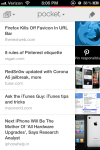
Independent “read later” apps may become an endangered species this fall when Apple incorporates its Offline Reading List into Safari as part of iOS 6. Until then (and perhaps thereafter), the best bookmarking app for your buck (actually free) is Pocket. Formerly known as Read It Later, the app’s April rebrand involved more than just a name-change and price reduction. Pocket’s new features, which include the ability to seamlessly view videos and images as well as grid-based article lists, do not undermine the app’s simple and elegant interface.

Khan Academy (iPad: free)
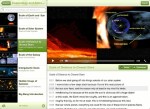
The best thing about this app is how it doesn’t clutter or distract from the expert video tutorials that are produced by next-generation educator Salman Khan. The more than 3,200 educational videos that touch on everything from “Getting a seed round from a VC”, to  “Earth Formation” to “The Bay of Pigs Invasion” are categorized within a simple taxonomy. The YouTube-hosted videos that contain subtitles are extensively logged, allowing users to quickly and easily locate a phrase or passage that may have gone over their heads.

TouchTV (iPad: free)
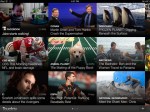
From customized news provider SkyGrid comes TouchTV, which beautifully showcases video clips from broadcast and cable networks onto the iPad. TouchTV runs video clips (typically up to five minutes in length) from 16 official providers including ESPN, Bloomberg Television and Jimmy Kimmel Live. While downloading TouchTV alone is not enough to “cut the cord” from your satellite or cable provider, the app offers a glimpse of what an app-enabled television universe can look like. TouchTV joins video discovery services like Showyou and Squrl (which each received significant updates this year) as among the best iOS apps to currently watch on Apple TV.

Any.Do (iPhone, iPod Touch: free)

Our favorite Android app of 2011 in June finally made its way to iOS devices. And it was worth the wait. Any.Do, which is backed by Google Executive Chairman Eric Schmidt, is an uber-productivity app that lets you easily create and complete tasks with the swipe of a finger. The app’s voice-dictation technology reliably records tasks without a user needing to type anything. You can also share your to-do lists with friends in the hopes they might help out with whatever needs to get done.

Highlight (iPhone, iPod Touch: free)
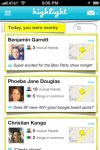
Coming out of the South By Southwest bracket of the 2012 mid-year app tournament is this social mobile local app. Highlight alerts you when a Facebook friend or individual with similar interests is nearby, and lets you learn more about other Highlight users when they are in your vicinity. Like similar services including Sonar, Banjo and Kismet, Highlight is only effective if there is a critical mass of other users in your area. While each service has its strong points, Highlight looks to have the greatest chance of any to crossover to the mainstream.

Viggle (iPhone, iPod touch: free, also available for Android)
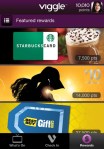
Receiving discount cards from the likes of Amazon, Starbucks and the Gap just for watching TV for many could be considered the American dream. Viggle makes it a reality by letting users check-in and earn loyalty points for watching their favorite programs.

The app performs reliably, while offering additional features including trivia questions, polls and curated tweets as gravy.

LinkedIn Update (Universal iOS: free)
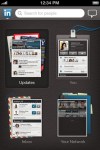
The best thing about LinkedIn’s April iOS update is that the app is now finally compatible and optimized for the iPad. Presumably inspired by Flipboard (where it has a key presence), LinkedIn functions best as a social magazine on the iPad.

The magic of LinkedIn on the iPad is how it integrates content shared by your connections with the ability to map common relationships with the sender in ways not possible via any other app or site.

Clear (iPhone, iPod Touch: $2.99)
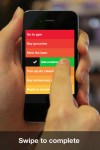
Clear is the to-do list for those who just want to get their stuff done and move on. While it lacks many of the features of heavy-hitter task-managers like Omnifocus and newer contemporaries like Any.Do, Clear excels in letting users quickly create categories and list the things they need to do that fall under those categories. The app’s beautifully designed interface also lets users sort these listed items by priority and quickly swipe to erase them when they’ve been completed.

HomeSnap (iPhone, iPod Touch: free)

While HomeSnap can’t do much to bring the nation’s housing market back to pre-crash levels, the app – with an assist from augmented reality – can help users determine the value of a home merely by taking its picture. In addition to financials, you can also see school information, historical data and the number of bedrooms and bathrooms in a given home. HomeSnap is not 100 percent reliable, but neither is information provided by a seller or broker.

Best iOS and Android games

It’s no accident that most of the top games to come out so far in 2012 are available on both iOS and Android devices. While there are constraints involved in making sure games are compatible across myriad Android form factors and operating systems, developers realize they need to embrace the platform in order to achieve a critical mass of users.

Draw Something by OMGPOP (Universal: $2.99, also available for Android)

While the momentum for this touchscreen-based and unofficial variation of Pictionary slowed down after it was acquired by Zynga in March, there are reasons why Draw Something generated tens of millions of downloads in only its first few weeks (faster than Angry Birds, Instagram, and any other app in history). It’s really fun to play! The premise of the game is simple enough for a five-year-old to pick up. Further, Draw Something’s social integration via Facebook and email makes it easy to play the game with a friend or stranger regardless of what kind of iOS and Android device they own. Don’t own a device on either platform? No worries, you’ll soon be able to watch the upcoming Draw Something primetime game show.

JAZZ: Trump’s journey (Universal: $2.99, also available for Android)

Loosely based on the life of Louis Armstrong, JAZZ: Trump’s journey plays well as a “greatest hits” for platform games. With beautiful graphics that capture 1920’s era New Orleans, great controls, and of course a killer soundtrack, Trump’s journey has enough features and depth to appeal to established gamers while also serving as a spirited and soulful introduction to newbie players.

Angry Birds Space (iPhone and iPod Touch: $0.99, iPad: $2.99, Android smartphones: $0.99, Android tablets: $2.99)

With a launch promotion that was literally out of this world, there was a concern that Angry Birds Space wouldn’t live up to its hype, or just be a slight variation of previous versions of the game. That fear was flung into the stratosphere once we actually began playing it. With new gravity-based mechanics, awesome new birds, a darker color palate and bizarrely amusing space aesthetics, Angry Birds Space is arguably the most refreshing and enjoyable title in the franchise.

N.O.V.A 3 (Universal: $6.99, also for Android)

If you are a fan of first-person shooters, than this is the game for you. Developed by Gameloft, N.O.V.A. 3 more than any other title available on mobile devices moves and feels like a console game. N.O.V.A. 3 has you blasting aliens and enemies through a number of planets (including a war-torn Earth). The multiplayer aspect of the game will have you sharing your battle with as many as 11 other players. Each beautifully animated level takes about 30 minutes to complete, offering a lot of bang for your seven bucks.

Spellsword (Universal: $0.99)

With furious and addicting gameplay, unique mechanics, and retro graphics and music, Spellsword is a fresh new platform game contained within a sword and sorcery kind of environment. Use your single sword to strike down enemies, and launch fireballs along the way. As you proceed through the missions and maps, new spell cards will be introduced along with new enemies. The best thing about Spellsword, at least for more competitive gamers, is that it contains no in-app purchases, and all of the achievements must be earned by the player.

Best Android apps

Many of the best new releases on Android – including three of our five favorites – were originally created for iOS devices. When the best titles are finally available on multiple platforms, we all win.

Flipboard (free)

Our favorite iPhone app of 2011 finally and officially arrived to Android in June. The socially curated magazine – which beautifully presents news, photos and status updates shared by your social graph – included YouTube integration as part of its Android launch (Google+ integration arrived a few days earlier). Flipboard is also the best way to read content from third-party publishers on mobile devices, including the New York Times which on June 28 debuted its NYT Everywhere service to subscribers within the app.

Instagram (free)

Instagram’s arrival to Android was a positive development to say the least for the photo-sharing pioneer. Within one week, Instagram attracted more than 5 million downloads. A few days later, the company was acquired by Facebook for what was at the time a 10-figure valuation. The company’s immediate triumph illustrates how apps need to be available for both iOS and Android devices to emerge as a true pop-culture sensations.

Google Drive (free with subscription, also available on iOS)

In our two months of using the service, we are finding that Google Drive is a superior and more cost-effective solution for storing and sharing documents than Dropbox. For individuals and organizations that already rely on Google Docs, migrating to Google Drive is a no-brainer. The app works seamlessly across all of our Android devices.  Now that the service as of June 28 is available to download to iOS devices, there is not much else standing in the way of market domination.

Airbnb (free)

Airbnb’s arrival to Android in January, after previously being available online and via iOS devices, was more than just a copy and paste job from one platform to another. The service, a vacation-rental marketplace, for the first time made it possible for property owners and travelers to quickly instant message each other for questions or go over any issues that arise during a stay. There are more than Airbnb 200,000 listings across the world, as well as curated travel recommendations from the likes of Ashton Kutcher and Jack Dorsey.

Chrome (free on Ice Cream Sandwich devices only, also available on iOS)

If you use the Chrome desktop browser and own an Android smartphone or tablet powered by Ice Cream Sandwich, owning this app is a no-brainer. The Chrome mobile and desktop apps interact seamlessly with one another, meaning you can access your bookmarks and browsing history on the app. The app also lets you swipe between tabs without ever having to go to the tabs menu. The Chrome app also supports voice search, bookmarking and private browsing. Like Google Drive, Chrome launched on iOS devices on June 28 during Google I/O 2012.


Source http://techcrunch.com

Microsoft VP: Windows 8 To Be Officially Released In “Late October”

windows-8-metro

Microsoft kicked off its Worldwide Partner Conference in Toronto with a bit of a bang earlier today — during the event’s keynote address, Microsoft VP and Windows CFO Tami Reller revealed when manufacturers and consumers would be able to get their hands on Windows 8.

The long-awaited operating system is on track to be released to manufacturers in the first week of August, with a consumer launch slated for “late October.”

Though it’s nice to finally have an actual timeline for the Windows 8 release process, the particular launch window Microsoft announced isn’t much of a surprise — rumors of an October launch have been swirling for a little while now.

That said, it isn’t without its shortcomings. With “general availability” set for October, Microsoft and its hardware partners will largely miss out on the lucrative back-to-school computer shopping season that kicks off late in the summer and generally runs through September.

It’s not a complete loss though, as Microsoft has been busy covering its bases. The company revealed its Windows Upgrade Offer back in June, under which customers who purchase Windows 7 PCs between June 2, 2012 and January 31, 2013 will be able to upgrade to the new operating system for a scant $15. What’s more, Microsoft last week has said that users on XP, Vista, or 7 will be able to purchase the Windows 8 upgrade for $40 once October rolls around in an attempt to simplify the transition.

Sure, it’s not the same as actually having Windows 8 PCs on store shelves and displays waiting to be played with (especially when Macs seem to be popular among the back-to-school crowd), but it’s far better than nothing.


Source http://techcrunch.com

Firefox OS desembarcará en 2013 como un nuevo sistema operativo móvil

Otros que se suben al carro de los sistemas operativos móviles. Mozilla acaba de anunciar el desarrollo y futuro lanzamiento de lo que han querido denominar Firefox OS, un nuevo sistema operativo enfocado al mundo de los dispositivos móviles (de momento se habla de smartphones) que vería la luz en 2013.

Como apuntan algunas publicaciones, Firefox OS no es otra cosa que la resurrección de Boot2Gecko, un proyecto muy interesante que ahora se ve renombrado por algo con más tirón comercial, y es que Mozilla Firefox es una gran marca y un gran producto. ¿Qué sabemos de Firefox OS? Bueno, que es un proyecto totalmente open source, con las ventajas que eso tiene para usuarios y fabricantes, y que se lanzaría a primeros de 2013 al menos en Brasil, y bajo el amparo de Vivo, que es una filial de Telefónica.

Los dispositivos elegidos para el lanzamiento no son otros que ZTE y TLC, compañías asiáticas y más concretamente de China que no tienen una gran difusión en sitios como Europa, pero a las que ya temen los grandes fabricantes debido a los buenos productos que ofrecen en términos de relación calidad-precio.

Firefox OS se basa en aplicaciones puramente web y HTML5, y pretende ser el expositor del futuro de las aplicaciones móviles, algo en lo que Mozilla tiene bastante experiencia, y que podría dar un nuevo empujón a la fundación y compañía, o mandarla aún más atrás. ¿Es una buena idea que Firefox sea ahora también un sistema operativo móvil, y que vaya a competir directamente con Android, iOS o Windows Phone?

Fuente http://bitelia.com/

Los 5 peores errores de Windows

Una compañía de tecnología tan grande como Microsoft tiene que tener su “lista negra” de errores garrafales y nosotros, como usuarios, nos preguntamos cómo pudieron haber sucedido. La verdad es que no hay que dar culpas, dado que una idea puede funcionar tanto como fracasar. Hoy en día es fácil golpear a Windows, porque es cierto que se ha quedado en el tiempo con algunas cosas. Pero también debemos admitir que con Windows 8 y Phone, los de Microsoft realmente están apostando fuerte al futuro. Y esto es raro viniendo de una compañía conocida por, justamente, llegar un poco tarde a la tecnología del futuro.

Hemos preparado una lista de con lo que consideramos son los 5 errores más importantes que ha gestado Windows en toda su historia. Algunos son directamente sistemas operativos bochornosos que hoy en día nadie en su sano juicio querría comprar (hola, Windows Me), mientras que otros son decisiones de negocios erradas basadas fundamentalmente en la tecnología móvil y en su lentitud para ganar una carrera que comenzó hace años. Pasemos a la lista.

Windows Me

En el año 2000, fue lanzada la versión Millenium o Me del sistema operativo de Microsoft. Continuaba con algunos de los detalles que se podían encontrar en Windows 2000, como menús personalizables, barras de tareas, y más. Mejores colores, mejores gráficos: una bienvenida importante al nuevo siglo. Había solamente un pequeño problema: Me era más inestable que el plutonio.

Los usuarios tuvieron problemas para todo: instalarla, usarla, problemas de compatibilidad de hardware y software. En fin, una pesadilla informática con todas las letras. La revista PC World llamó a Windows Me “the Mistake Edition”, en parte en broma y en parte por ser una realidad innegable.

Por otra parte, Me fue la última versión de Windows en estar basada en Windows 9x y en MS-DOS. Al menos vamos a darle ese valor histórico.

La perla: la funcionalidad de restauración de sistema a veces llegaba a restaurar malware que el usuario había borrado. ¿Por qué? No tenía criterio para identificar entre las cosas borradas. La única forma de solucionarlo era deshabilitar System Restore y, además, perder el resto de las cosas recuperadas.

Windows Vista

Otro de los fails importantes de Microsoft a la hora de lanzar un sistema operativo fue Vista. Si alguna vez lo usaron, sabrán que clase de pesadilla puede ser. La verdad es que hay demasiadas fallas en Vista como para que sea un producto decente, y sin embargo, lo lanzaron con bombos y platillos. Para comenzar, podemos nombrar las miles de gamas que nos ofrecían. En fin, solamente vamos a hacer una selección porque si no estaríamos un buen rato hablando de este SO.

A la hora de actualizar a vista, muchos de los usuarios de PC se encontraron que no cumplían con los requisitos necesarios para poder hacerlo. Todas las funcionalidades aparentemente revolucionarias de Vista solamente estaban disponibles para unos pocos. Es más, algunos fabricantes anunciaron que sus equipos eran compatibles con este software. Esto llevó a una demanda colectiva bastante notoria dado que personas con computadoras nuevas no podían usar Vista completamente.

La cuestión de la instalación también fue problemática. Los usuarios tenían que tener una versión de Windows previamente instalada para poder actualizar. De otra forma, la copia no permitiría una activación. Lo que nos lleva a otro tipo de restricciones, relacionadas con la seguridad de los archivos y la protección de derechos de autor. Muchas de las funcionalidades directamente violaban los derechos de los usuarios, al no permitir, por ejemplo, la conectividad de drivers a internet. El software y nuevo hardware de Windows estaba diseñado para proteger derechos de estudios de cine y discográficas, por lo que la experiencia de usuario decaía estrepitosamente.

Finalmente, lo que ya conocemos con lujo de detalles: el User Account Control (UAC) que nos pedía permiso para absolutamente todo.  La idea era aumentar la seguridad, no permitiendo que el software tomara control del equipo sin autorización del usuario. Lo que terminó sucediendo fue que los usuarios se cansaron de tener que autorizar cada uno de sus movimientos, como si no fueran administradores de su propia PC.

La perla: burlándose del UAC, encontramos los videos de PC vs. Mac. Este video no tiene desperdicio:

La llegada de Windows Phone

Cuando Apple presentó su iPhone, los de Microsoft dijeron: “pues nadie lo va a comprar”. Podemos apreciar desde este entonces que nunca tuvieron un buen ojo para las decisiones móviles. Aunque hoy en día están apostando fuerte con la interfaz Metro y la “movilización” de su nuevo Win8, esto no siempre fue así. Windows Phone es históricamente un sistema operativo que llegó tarde a casi todas las innovaciones y que no pudo posicionarse como líder de mercado. En este sentido, iOS y Android siempre vencieron.

Su predecesor inmediato, Windows Mobile, se está convirtiendo en una cosa del pasado. De hecho, ante la salida de Windows Phone muchas de las aplicaciones de su hermano menos quedaron obsoletas. Pero eso no es todo. Básicamente, Windows Phone llegó tarde. Anunciado en febrero de 2010 e implementado en Europa a partir de octubre, recién con el partnership con Nokia tomaría vuelo. Y esto recién sucedió en febrero de 2011. ¡Un año! después del anuncio.

No fue el único error relacionado con Phone; al fin y al cabo, no se puede culpar a una empresa por su lentitud. Cuando en 2010 se anunció Windows Phone Marketplace, iTunes ya había sido lanzado hacía un año y era furor. Mientras tanto, Windows Phone no contaba con funcionalidades básicas como multitask en sus primeras versiones. Esperamos que todo eso cambie con la llegada de Windows Phone 8, lo que nos lleva a…

La perla: Windows Phone 8 aún tiene que resolver algunas cosas, como por ejemplo, la imposibilidad de almacenar aplicaciones en la tarjeta microSD, y, mi favorita, la imposibilidad que tendrán los terminales actuales de hacer un upgrade a Windows 8.

Su política de actualizaciones

La política de actualizaciones de Windows no se diferencia demasiado de la Mac, si tenemos en cuenta que para poder acceder a determinados OS tenemos que pagar. Nada raro aquí, no estamos instalando Ubuntu. Pero Microsoft se caracteriza, en cierto sentido al igual que Adobe, por ponernos algunos precios exorbitantes de actualizaciones. No sorprende entonces la cantidad de copias pirata de Windows que existen en internet.

Por otra parte, cualquier usuario de a pie de Windows apenas sabe dónde puede encontrar Microsoft Update, para poder actualizar a las últimas versiones de determinado software. Tampoco Windows ha hecho una cultura muy grande de actualización que haya “pegado” a sus usuarios. No sorprende, entonces, que algunos desarrolladores web todavía tengan que tener en cuenta algunas versiones históricas de Internet Explorer. A veces, al usuario de Windows simplemente no le interesa actualizar: no sabe cómo, sale muy caro, y ningún representante “oficial” le está diciendo que es recomendable, más allá de algún pop up molesto.

Las políticas de actualización de Windows tampoco son tan idóneas para grandes empresas, dada toda la mecánica que tiene que seguirse. Mientras que Mac tiene una actualización más limpia y simple, con Windows ya nos imaginamos un proceso engorroso. Sino, podemos subir un poco más en este mismo artículo y ver lo que sucedió con Vista.

Windows Live

Para los que desconocen, Windows Live es el nombre de una serie de aplicaciones basadas en la web  y también móviles y de escritorio que fueron pensadas por Microsoft como una forma de “extender la experiencia Windows”. Extender el calvario.

Windows Live se puede pensar como una respuesta a otras compañías como Google y Apple brindando cada vez más servicios en la nube. Mientras que Google Docs hacía furor, Windows todavía insistía con las aplicaciones locales y no comprendía el valor de la nube (al menos hasta este año, con el lanzamiento de la primera versión más que decente de Skydrive). De hecho, Skydrive forma parte de Live, que se ha logrado pulir con los años. Pero durante la primera época, Live parecía un rejunte de servicios sin coherencia.

Afortunadamente Live también se puede tomar como ejemplo de cómo capear el temporal y lograr formar un servicio interesante. Skydrive no fue el único que ayudó a mejorar la experiencia de usuario, sino además las actualizaciones merecidísimas yesperadas de Hotmail colaboraron. Combinar estas apps web con aplicaciones de escritorio como Messenger y Mail fue una buena idea. Hay que dar el crédito cuando corresponde.

La perla: ¿se acuerdan de Spaces? La plataforma social y de blogging de Windows era un bochorno más grande que Google Buzz pero afortunadamente no fue tan notado. A la hora de elegir una red social, los usuarios terminaron yendo a una que no censurara sus nombres y libertad. La perla II: en China, los de Microsoft accedieron a censurar palabras como “democracia” y “libertad”.

Fuente http://bitelia.com

domingo, 8 de julio de 2012

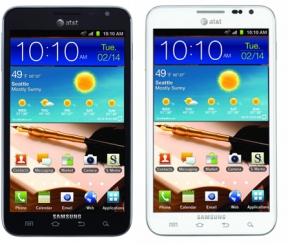
How Big Is Too Big? Samsung’s New Galaxy Note Said To Sport 5.5-Inch Screen

attnote

I don’t know too many people who would look at the Galaxy Note and its 5.3 inch display and say “y’know, it would be great if this thing was just a little bigger,” and I now I know why. As it turns out, those people live in Korea, work for Samsung, and may have decided just that.

According to their usual unnamed sources, Korea’s MK Business News reports that Samsung’s Galaxy Note 2 will sport an even larger 5.5-inch display when its unveiled at Germany’s IFA 2012 trade show in August.

Naturally, the display isn’t all they’re said to be upgrading here. The next-gen Galaxy Note is also rumored to pack an unspecified quad-core processor (most likely an Exynos 4 Quad), and a 12 or 13 megapixel camera around the back instead of the 8 megapixel shooter as seen in the original. To top it all off, it’s said to run on Google’s newly-revealed Jelly Bean version of Android, though it’s unclear at this point how the company will be tweaking their UI to account for Jelly Bean’s new features.

So how much of a handful is thing going to be? Well, while the display has been stretched out a bit, the device itself isn’t expected to be significantly larger than the current Galaxy Note. Frankly, this seems like both a blessing and a curse — users who can comfortably wrap their mitts around the original model should do just fine, but that slightly larger display may make one-handed operation even less feasible than before.

Now I’m all for pushing limits and whatnot, but this just begs an obvious question: how big is too big? Most tablet manufacturers are loath to dip below the 7-inch barrier, and if this report holds true then Samsung is eagerly chipping away at the other side of that limit. Samsung’s success with the Galaxy Note has also prompted companies like LG to take up the super-sized phone challenge, so it’s very possible that phone screen sizes haven’t topped out just yet.


Source http://techcrunch.com

PSA: Check Your Computer For DNSChanger Or Risk Getting Booted Off The Web On Monday

388px-Shared_IP.svg

It’s something of a 21st Century nightmare — headlines are declaring that come Monday morning, thousands of people could wake up to a startling lack of Internet access all because of a crafty bit of malware. How chilling!

Well, it would be more chilling if people haven’t had plenty of advance warning. What’s more, the steps to detect and eliminate that malware — unimaginatively called “DNSChanger” — are relatively simple, so less-than-tech-savvy folk out there can take care of business with too much outside assistance.

But first, a little background. The whole sordid story began back in 2007 when DNSChanger first started making the rounds. As its name implies, one of DNSChanger’s primary functions was to fiddle with an infected computer’s DNS settings in such a way that users who attempted to surf the web would be re-routed to fraudulent sites instead. To cover its tracks, DNSChanger also prevented infected computers from accessing sites where they could download antivirus and OS security updates that would clean things up.

That being the case, users could still get online, but their view of the Internet was a bit different from ours — the group operating the servers were able to earn a considerable chunk of money by sending people to malicious sites and raking in the ad revenue. The seven men behind the widespread scam reportedly managed to score around $14 million in ill-gotten funds before they were arrested in late 2011. Interestingly, the FBI and Germany’s Information Security Agency made some adjustments and left the system running because of the number of people who would’ve been affected by pulling the plug outright.

You can guess where this is going — that plug finally comes out on July 9, which means anyone who hasn’t yet made the fix will be unable to watch their daily dose of cat videos on YouTube.

Thankfully, the process of getting yourself all squared away is terribly simple — if you haven’t yet, check this site provided by the DNS Changer Working Group to see if you’ve got anything to worry about. On the off-chance that you are infected the working group also refers to a handful of tools to clean things up, though some seem simpler than others.

And that’s all there is to it. If your machine was infected though, there’s a pretty good chance that someone else has already tried to tell you about it. Google began displaying warning messages to users they believed were affected by the DNSChanger malware in their search results back in May, and Facebook decided to do something similar one month later.

Exactly how many computers are infected by DNSChanger remains unclear at this point — the FBI pegs the number of infected at around 275,000, while some estimates reach as high as 300,000. Either way they’re not inconsiderable figures, especially considering that nearly 70,000 of those computers are reportedly based in the United States. That said, most of you savvy TechCrunch readers have probably dodged the DNSChanger bullet with ease, but it’s still worth passing the word along to the less tech-savvy folks in your lives just to be safe.


Source http://techcrunch.com/

50 programas y apps gratis para empezar con Windows 8

Falta poco para que Windows 8 aterrice en nuestros PC. Las versiones preliminares ya han demostrado que W8 será un sistema operativo sólido y fiable. Tanto es así que ya hay quienes lo usan como sistema principal.

En Windows 8, la nueva interfaz Metro convive con la clásica para que podamos seguir usando aplicaciones de ambos tipos. El enorme catálogo de programas para Windows, por lo tanto, seguirá siendo compatible.

Para que entres en la era Windows 8 con total seguridad y comodidad, vamos a presentarte una lista de 50 apps imprescindibles y gratuitas compatibles con Windows 8 o diseñadas especialmente para esta nueva versión del sistema operativo de Microsoft.

Empezamos la lista con Skype, la aplicación de chat y llamadas por antonomasia. La compra por parte de Microsoft, unida a la decadencia de Messenger, han catapultado Skype hacia el estrellato de la mensajería. Las alternativas, al menos para Escritorio, son pocas, pero puede que te interese instalar Facebook Messenger for Windows.

Lo siguiente es la navegación. Aunque Windows 8 incluya el excelente Internet Explorer 10 -cuya velocidad, dicen, deja en evidencia a los demás- tener otro navegador a mano es necesario. Nosotros nos decantamos por Google Chrome, cuya sincronización entre dispositivos y soporte para aplicaciones web es sobresaliente. Pero no te olvides de Opera.

El primer impacto con otro sistema operativo es difícil. Es por ello que quizá te interese recuperar el botón Inicio, eliminado por completo de la interfaz clásica de Windows 8. Hay varias aplicaciones para ello, como Windows 8 Start Menu Toggle, Metro UI Tweaker y Windows 8 Menu Switcher. Para un regreso al pasado más triunfal, Classic Windows Start Menu.

Ahora conviene que te centres en la seguridad. Windows 8 es, de entrada, un SO más estable y seguro que los anteriores, sobre todo gracias a la inclusión -por defecto- de Windows Defender. Sin embargo, una solución de seguridad más completa no está de más. Una opción natural es dar el salto a avast! o Norton Antivirus, los mejores según nuestras comparativas.

Pero la seguridad no se asegura -valga la redundancia- solo instalando un antivirus: hace falta reforzarla con un gestor de contraseñas (Dashlane), un programa de copias de seguridad (BitReplica), un antirrobo (Prey) y un detector de vulnerabilidades (Secunia PSI). Y por supuesto, no olvides mantener los plugins al día (como Java y Flash).

En cuanto al rendimiento, sabemos que Windows 8, en algunos PC, arranca tan rápido que ni siquiera da tiempo a pestañear. Pero hablamos de sistemas limpios y sin uso. En cuanto tu W8 acumule aplicaciones y programas, habrá que ver qué tan bien se desenvuelve. ¿La caballería? Soluto (en versión clásica y metro), JetClean y, por supuesto, TuneUp.

El avance de la ofimática vía web es imparable, pero la edición de documentos offline todavía es importante. A la espera de Office 15, que promete ser un mix revolucionario de funciones clásicas y táctiles, os recomendamos el dúo LibreOffice y PDFCreator (ideal si tu impresora no tiene aún drivers compatibles). Aliña el conjunto con Evernote (clásico y metro) y listo.

Para la gestión de archivos en el día a día, hazte con un buen compresor de archivos (PeaZip o 7Zip), un emulador de unidades CD/DVD (Daemon Tools) y, si aún grabas discos ópticos, CDBurnerXP Pro. Las necesidades de los jugones deberían estar cubiertas con Steam y Origin. Y en caso de querer probar aplicaciones de Android, ahí tienes el gran Bluestacks.

La creatividad también tiene cabida en Windows 8. Aplicaciones metro como Fresh Paint, Music Maker Jam y SketchBook Express (también clásico) dan una idea de lo intuitivo que será crear con el nuevo Windows. Para los aficionados a YouTube, la aplicación metro YouCam es todo lo que hace falta para convertir el PC en un estudio de televisión casero.

Presente tanto en ultraportátiles como en tabletas, Windows 8 invita a consumir contenido de todo tipo: música, vídeo, libros, fotografías... Para ello, ármate de las siguientes aplicaciones: VLC media player (vídeo), Spotify (música) y Calibre (ebooks). No olvides instalar un pack de códecs (K-Lite) y conversores de formatos (Freemake Video Converter, dBPowerAMP).

Finalmente, para que no te quedes aislado, instala un cliente de redes sociales como TweetDeck o el excelente MetroTwit. Para compartir archivos tienes muchas opciones aparte de la nativa SkyDrive, como Google Drive y DropBox, que seguramente contarán con versiones metro muy pronto. Para un P2P más tradicional, ahí tienes el incombustible uTorrent.

¿Qué otras aplicaciones recomiendas para Windows 8?

Fuente http://onsoftware.softonic.com/50-programas-gratis-windows-8

Blog Archive